Vela Design System · My open-source project · 2026 · In progress
One set of design rules that designers, code and AI tools all follow.
I write each design rule once; AI agents build from it, and automatic checks catch most broken rules before anything ships.
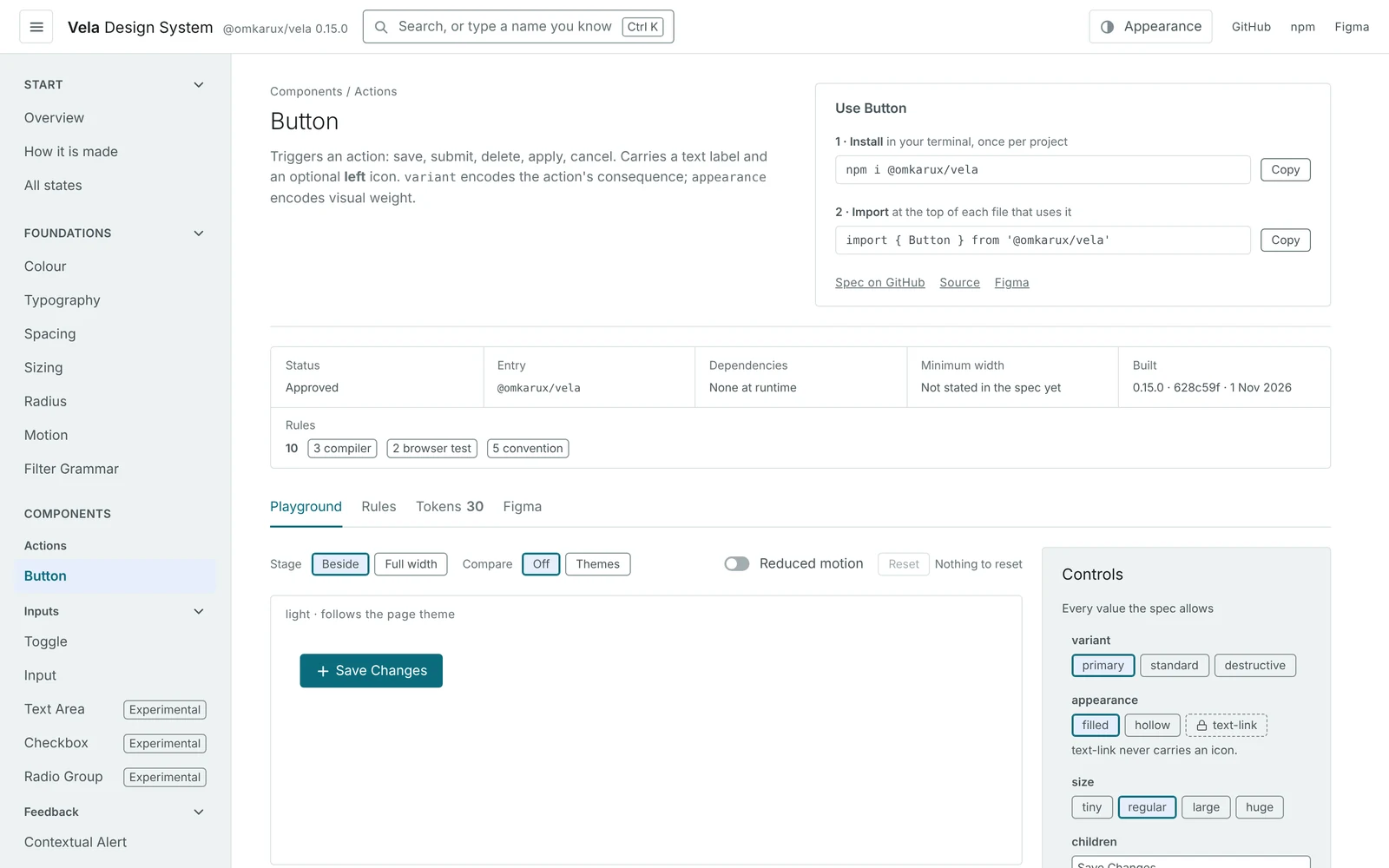
Open the live playgroundEvery component, every state, light and dark. Nothing on it is mocked up.
Go deeper 2 min
A design system is a shared kit of colours, components and rules that keeps a product consistent. Vela is mine, built in the open, so the same rules drive the design files, the code and the AI tools that build screens.
Design rules usually live in documents. People forget them, and AI tools fill the gaps with confident guesses.
Write each rule once, generate everything from it, and make the build fail when a rule is broken.
A growing set of components in a live playground, each marked final or still experimental. The Figma library and the code come from the same source file.
The rules and the checks. AI agents build, and now merge their own changes.
- 01Everything comes from one file, so the design files and the code always match.Why it exists
- 02A new brand should mean changing one file, not every button.The decision
- 03Most rules are checked automatically, not by people remembering them.The rule
- 04A button that shrinks from its centre can lose your click.Motion
- 05Next: screens for approving what an AI agent wants to do.In progress
01Why it exists
Everything comes from one file, so the design files and the code always match.
Change a colour once and the code, the Figma library, both themes and the AI tools' instructions all update.
tokens/vela.tokens.json
guidelines/components/*.md
Written once, by me- React packageStylesheet and componentsLive
- Figma libraryVariables, modes, component setsLive
- Material UI themeFor products already on MaterialLive
- Flutter themeTokens onlyLive
- Docs for people and agentsThe playground, and a file coding tools readLive
- Another frameworkGenerated from the same specPlanned
Go deeper 1 min
Every output is regenerated on each change and compared with the token file, so a hand edit to any of them fails the build.
React first, on purpose. The spec is written so a second framework can be generated from it rather than rewritten. That part is still a plan.
The behaviour of the harder components, focus traps and keyboard handling, comes from Base UI, an open-source library. Every pixel still comes from Vela's tokens.
02The decision
A new brand should mean changing one file, not every button.
Components say "use the main colour", never a specific colour, so a new brand only changes what the main colour is.
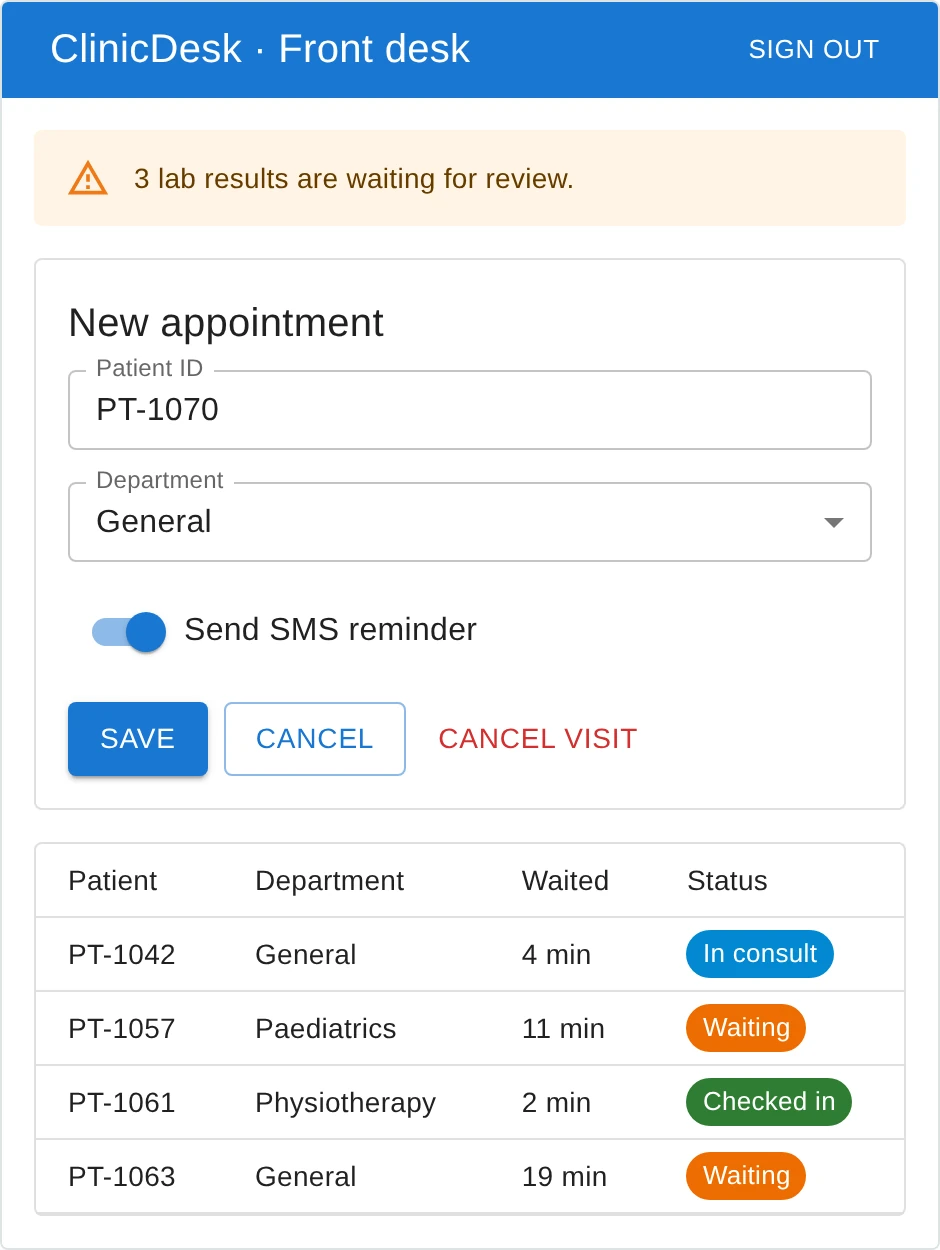
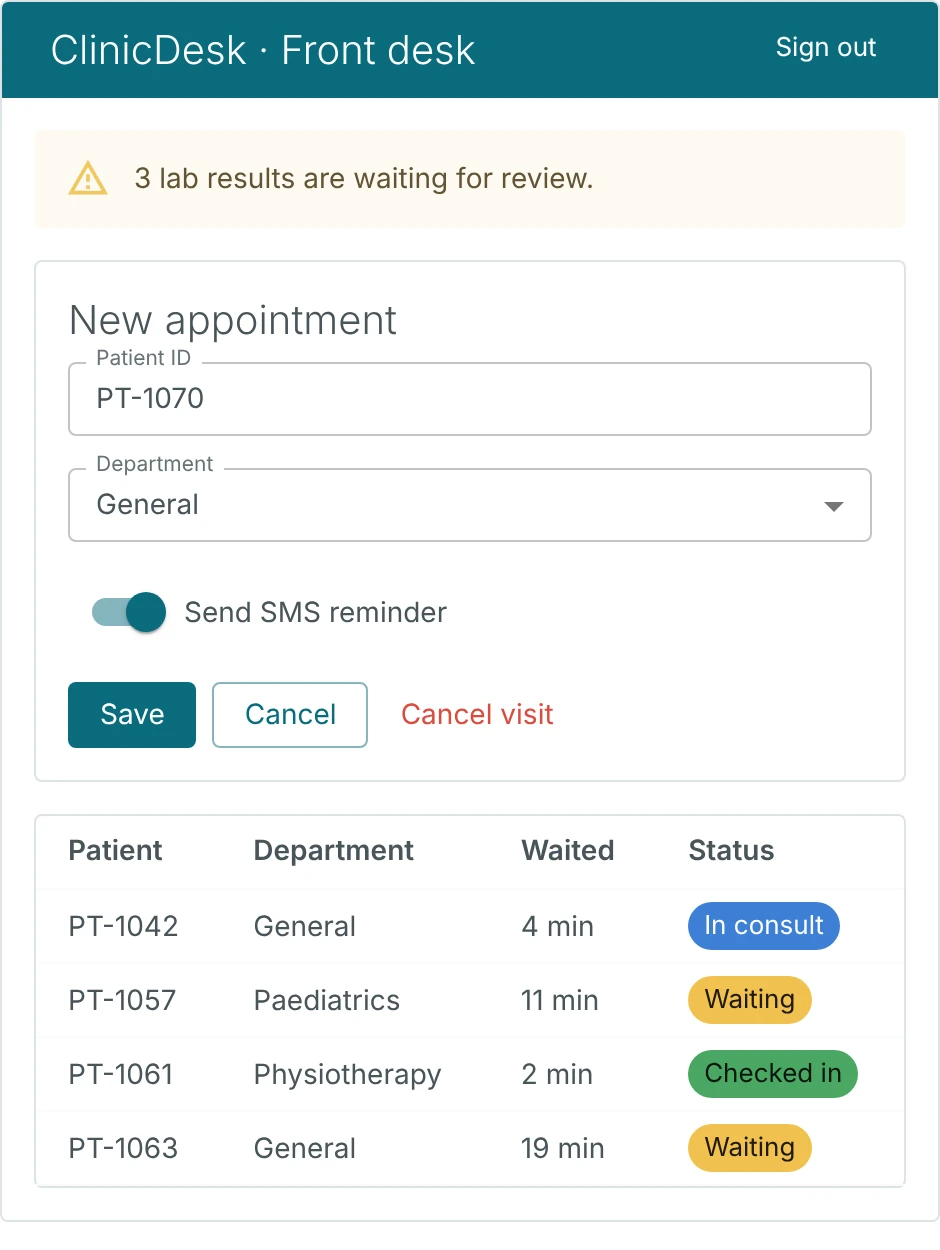
The proof came early. I swapped every colour in the palette for a new one. No component, mapping or test changed, and every contrast check still passed.
Next: brands I don't controlProposedNot built yet
- PassThe default brand.
- PassWhite text 6.56:1. A hue no status colour uses.
- 1.43:1White text fails. Dark text is picked instead.
- ClashSame hue as Warning. Vela flags it.
Drawn to illustrate the plan. The colours and contrast figures are from it; the brand switcher is not built.
Go deeper 1 min
White-label means a brand colour arrives from someone else, and it can't be trusted to work. So the brand is an input the system checks, not one it obeys.
- Colour first. One brand colour. Radius and type come in later phases.
- A short allow-list. A brand can set the primary button, links and selected states. A test fails if it touches anything else.
- Why violet. Orange already means Severity minor and Status medium. An orange brand would make every primary button look like a warning. Violet sits in the widest unused stretch of the colour wheel.
- When to refuse. A brand gets a warning if it shares a hue with a meaning. It is refused only when primary can't be told apart from destructive or critical.
03The rule
Most rules are checked automatically, not by people remembering them.
Of 212 written rules, 185 are caught automatically. Only 27 still need a person to notice.
212 rules, and what catches each oneCounted by Vela's rules check, version 0.15
All 212 are written down in Vela's component guides, one for each component. Each rule carries a tag that says what catches it:
- 69 · The build stopsBreak it and the code won't compile. The check lives in the component's code.
- 63 · A test catches itThe component behaves correctly anyway. A test in Vela's test suite proves it.
- 53 · A real browser catches itRules about layout, motion or where a click lands. A script clicks through the page in a real browser.
- 27 · A person catches itThings no tool can see, like one primary button per page. They stay in the guide for review.
Go deeper 1 min
What "the build stops" looks like
<Button variant="primary" appearance="text-link">✓ allowed<Button variant="destructive" appearance="text-link">✗ text-link is primary only<ContextualAlert severity="high">✗ severity has no "high"<StatusIndicator status="critical" />✗ that's severity, not status<Toggle />✗ a label is requiredSeverity, Risk and Status never mix. Three separate scales, so a risk can't be shown as an outage. Most systems fold them into one "status" and spend years pulling them apart.
Every rule in the docs carries a tag saying how it is caught. A check reads the tags and fails the build if a rule meant for the compiler or a test has no proof behind it, so a rule added later can't skip the gate.
Where a rule sits between two levels, it is filed at the lower one. Understating what is enforced is the safe direction.
Contrast works the same way: every text and background pair, in both themes, fails the build if it drops below AA.
04Motion
A button that shrinks from its centre can lose your click.
Pressed near the edge, the button pulled away from the mouse before release. Shrinking towards the cursor fixed it.
- 1Ten candidates, built and measured. Not argued about. The top scorer shipped only one of its ideas.
- 2A mouse problem only. Touch already holds the pointer. The fix gives the mouse the same.
Motion pass: movement only where state changesReleased in 0.15
Toasts stack and spread on hover, and swipe away. Popovers and tooltips grow from what opened them. Checkboxes, radios and toggles press like a button.
Two pieces of this work, told in full
Go deeper 2 min
Vela animates for three reasons only: feedback, orientation and continuity. How fast depends on how often people trigger it. A button pressed a hundred times a day gets feedback under 200 ms. Nothing animates from the keyboard.
This pass comes from Emil Kowalski's essay "Great animations": ease-out for things that enter, one spring for a few chosen moments, and every animation interruptible. I left out JavaScript animation libraries, because the core package has no dependencies, and I left out springs everywhere, because most motion should go unnoticed.
Measured in the press test: 9 of 12 mouse presses near the edge were lost, and 0 of 12 by touch. On the shipped button, 10 of 30 were lost without the fix, and none with it.
Tabs left this list because they shipped, and the motion changed on the way. The old underline slid across the row to the new tab. When the selected tab was far away or scrolled out of view, it arrived from somewhere you weren't looking. Now a short bar appears under the tab you point at, and a click grows that same bar into the underline, right where you are looking. Sliding and growing scored a tie, 94.1% against 93.5%, so I chose growing by eye. A version that followed the pointer lost: too lively for a control used all day.
05In progress
Next: screens for approving what an AI agent wants to do.
Each is written up as a spec. None is built or tested with users yet.
- A growing set of components in the live playgroundEach one marked Approved or Experimental
- Figma libraryEvery component published as a component set
- Motion, approved from recordingsToasts, popovers, tooltips and the small controls
- React package on npmOn npm, every component in the playground
- Material UI and Flutter themes
- Brand themes
- The playground redesignLive: install and import on every page, search, an Appearance panel, settings in a shareable link
- Automated accessibility checks on every pageFive playground pages checked so far, in both themes
- PatternsDecisions a component can't make alone. The first, Copy, is approved and not built yet
- Approval QueueUndecided means not run
- Action Impact CardWhat a change will do, and the way back
- Verdict Card
- Autonomy Ladder
- Calibrated Confidence Gate
- Evidence Locker
- Agent Provenance Badge
- Awareness Clock
- Override & Teach Panel
On the roadmap, from my other stories
Go deeper 1 min
How it gets built
Separate agent sessions own the repo, the Figma library and the specs, and every spec is pressure-tested by one that didn't write it. Review has caught an invented example and a legal claim that went too far.
At first, agents opened every change for my review and I merged each one. Once the work held up, I automated it: agents now merge their own changes. Publishing the Figma library is still my job, only because AI can't do it yet; I last published it on 1 November. npm releases follow it.
Why publish specs before code
So the design can be argued with in the open. The cost is that API changes happen in public, and every rule is labelled untested until an analyst has tried it.