Vela · Icons and motion · 2026 · In progress
When you copy something, the copy icon turns into a tick.
Copying an API key or an IP address, you need to know it worked without looking away. I sketched how the copy icon could become a tick. AI built and scored the options; I made the calls that shaped the final motion.
A copy button usually swaps its icon for a tick, or shows a small message. Both pull the eye away from the work.
Turn the copy icon's own lines into the tick, and only after the copy has really worked.
A working lab version, checked frame by frame against the design, at real speed and five times slower.
The sketch the final motion came from, the pick at each round, and three details my eye caught.
- With AISixteen first ideas, built and scored.
- By handMy own sketch: the copy icon unwinds into a tick.
- With AIMy sketch built five ways, frame by frame.
- By handThree calls: bend one rule, turn about the corner, keep the lines crisp.
Recorded from the lab build in a browser. Not in the shipped design system yet.
- 01The first ideas all scored under 60%.The start
- 02The top-scoring idea had a small jump at the end. I spotted it by watching.Judgment
- 03I sketched my own version.By hand
- 04Following every motion rule needed about 42 extra pieces. Relaxing one rule needed none.The decision
- 05Two last changes, made by watching the builds side by side.Details
- 06Built and checked, waiting to ship.Where it stands
01The start
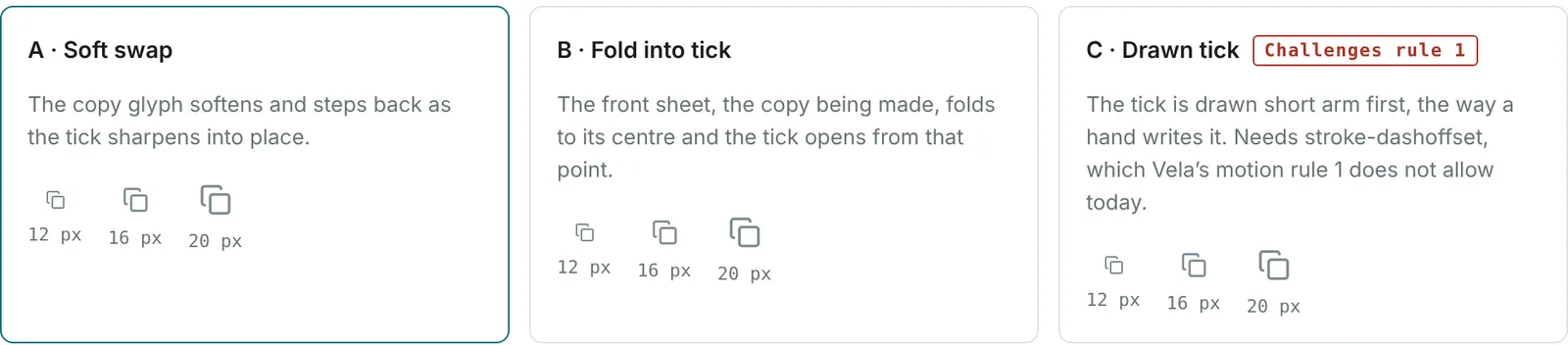
The first ideas all scored under 60%.
Three directions on day one: a soft swap, a fold into the tick, and a tick drawn by hand.
Go deeper 1 min
The next round asked AI for thirteen ways to morph one shape into the other, borrowing from clock hands, calligraphy and stage magic, and scored them against eight criteria.
Four tied at the top. I picked M1, the "seated corner", from those four.
02Judgment
The top-scoring idea had a small jump at the end. I spotted it by watching.
In the last 40 milliseconds, the tick's corner snapped from round to sharp. I said it looked weird, and it was fixed.
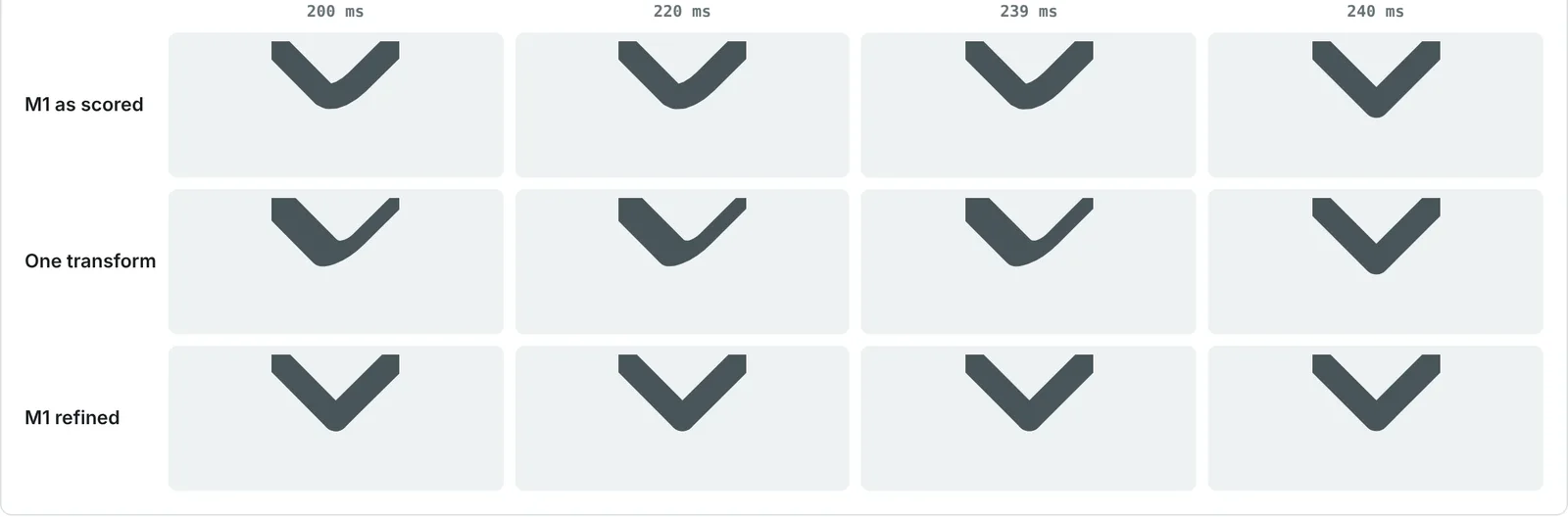
A score can't see a 40 millisecond glitch. A person watching can.
03By hand
I sketched my own version.
Six frames in Figma: the front sheet tilts, its lines unwind, and what's left is a tick.

04The decision
Following every motion rule needed about 42 extra pieces. Relaxing one rule needed none.
AI built my sketch five ways. The one that followed every motion rule needed about 42 fading pieces; the one I chose draws the lines exactly.

I approved S5, and the one rule exception it needs: letting an icon's own lines draw on and off. It scored 91.2%, just above the best earlier option at 90.0%, but it was the cleaner motion that decided it.
05Details
Two last changes, made by watching the builds side by side.
Seeing the builds side by side, I changed where the sheet turns and how the leftover lines leave.


"It signifies the clear morphing and confidence, instead of the fuzzy feel of faint."
My note on why the lines stay crisp.
06Where it stands
Built and checked, waiting to ship.
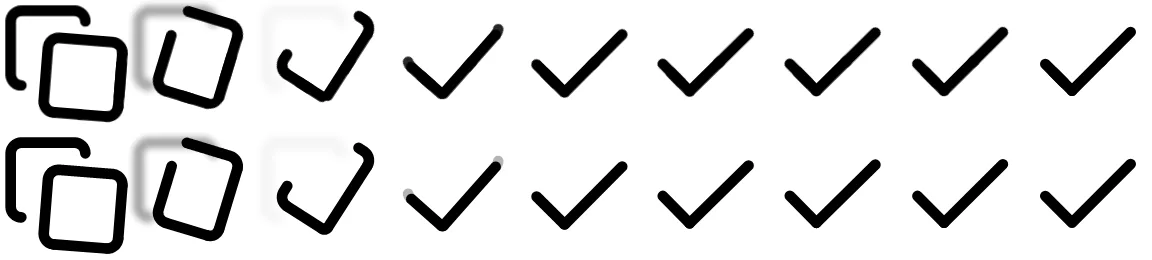
The real build matches the design frame by frame. The motion rule it needs is released and the Copy pattern is public; the copy button itself is not built yet.
- Lab build, checked in Chrome, in Safari and on a phone
- Keyboard: nothing moves, the tick just appears
- The tick only shows after the copy really worked
- The motion-rule exception, released in Vela 0.14
- The Copy pattern, approved 31 October and public in the Vela playground
- The copy button spec (written, not public yet)
- The button in Vela's code
- Firefox
- Smoothness on real, slower devices


This story is the motion. The rest is in Vela's Copy pattern. When a value gets a copy button, what exactly gets copied, and what a failed copy says are written there. It is approved and public in the Vela playground, marked Experimental, because the copy button it needs is not built yet. Read the Copy pattern