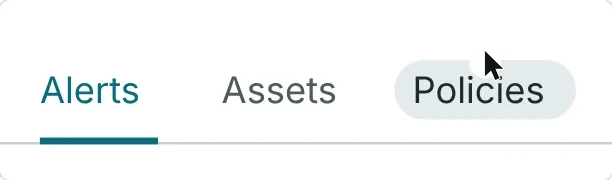
A pill that follows the pointer
Common in appsLost: it moves every time the pointer sweeps past.
Vela · Tabs · 2026 · In progress
Tabs switch between views of one page. In Vela, my open design system, they gave almost no sign of where a click would land, and gave no warning when there were too many. I directed AI agents through the options and made every call.
Hovering over a tab only darkened its name. With too many tabs, hidden ones gave no sign and the open tab could scroll away.
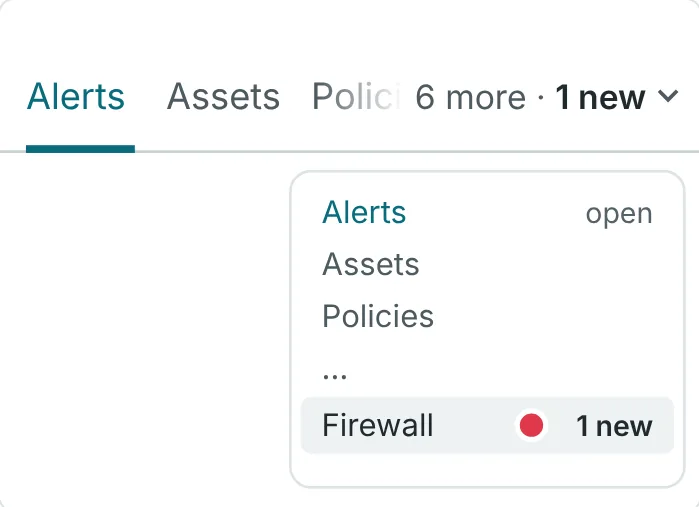
A soft mark under the tab you point at, which grows into the underline when you click. Too many tabs get one quiet "6 more" control with a list.
The Seed is now in the real Tabs component, with fixes for two bugs the prototype found. Released on npm in Vela 0.14. "6 more" is next.
Every call, the name, and spotting what the testing missed. AI agents built, scored and drew the options.
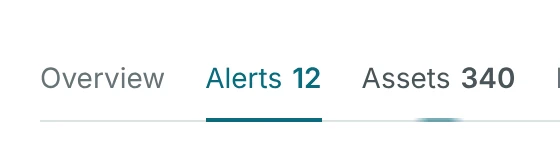

01The moment
Before a click, the only sign was the tab's name turning slightly darker, a hint that is easy to miss.
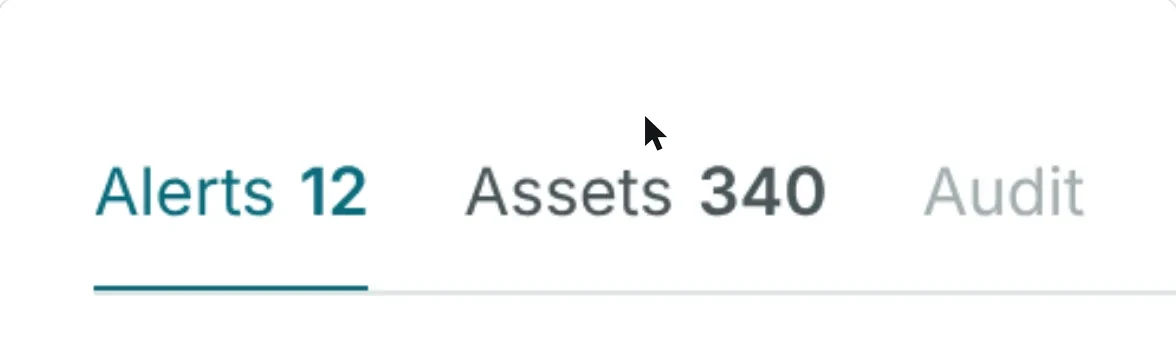
The question was rewritten as a job, with no solution in it: show where a click will land, without adding noise for someone who switches tabs all day.
That ruled out anything loud: a hint people see all day has to stay subtle, or it becomes noise.
02The idea
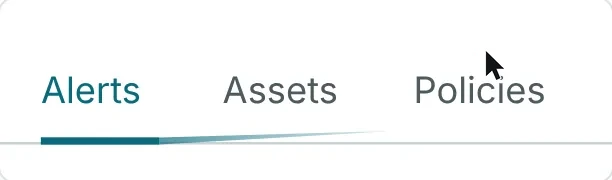
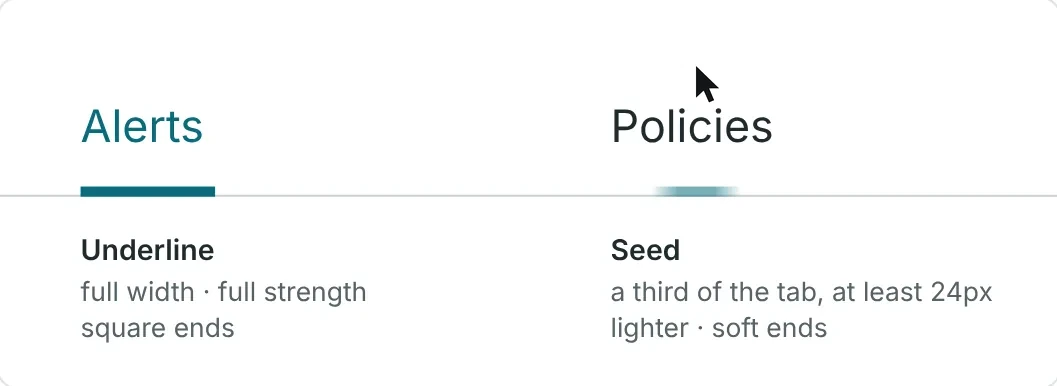
The winner is a short, pale line under the tab you rest on; I asked if we could call it the Seed, and the name stuck.
Lost: it moves every time the pointer sweeps past.
Lost: ten tabs away, the hint starts at the wrong end of the row.
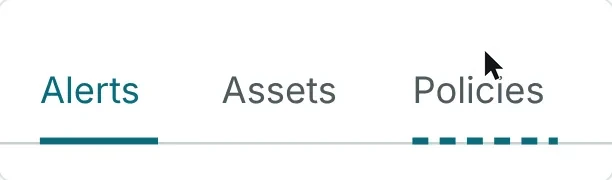
Lost: dashes are loud for something seen all day.
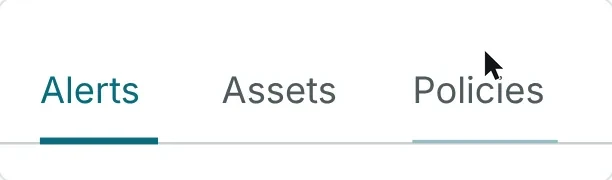
Lost: as long as the real underline, so it can pass for the open tab.
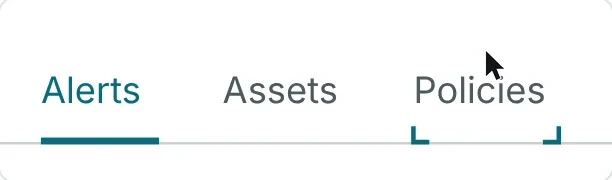
Lost: the most elegant, and the easiest to miss.
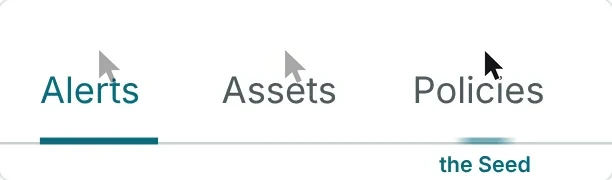
The search looked at how other fields already do this job: sixteen ideas in a first round, three more in a second. AI agents scored each one against a checklist, twice. Six are shown above.
It led the second round at 90.6%. It sits exactly where the underline will go, like a seed of it.
The name was mine. I pointed at a card on a board and asked if it could be called the Seed; it became the name of the whole idea. The card itself was drawn by an AI agent.
I also caught two board errors: one said an idea came from the first round when it came from the second, and one gave the faint line the wrong origin. And I asked why the pill that follows the pointer seemed missing from the scoring. It had scored 60%, joint 11th of 16, and the boards now quote the scoring's real lines instead of paraphrases.
A slow-motion switch, five times slower, let me judge the motion by eye before anyone argued about it.
03The call
On a click, the Seed grows in place into the underline, instead of the underline sliding across the whole row.








Clicking a tab eight tabs away, paused at the same moments. A keeps everything where your eye already is. B sweeps the underline across the whole row to get there.
Less than one point apart, and the two scoring passes disagreed on which came first. So the scores could not decide. Watching them side by side at real speed did.
The Hybrid was my proposal: slide for nearby tabs, grow in place for far ones. It was built, annotated in the prototype, and set aside, because the same click could look different depending on how far away the tab was. It is the third row in the clip.
AI agents built all three behaviours, recorded the clips and scored them. The choice was mine, made by eye. A result this close is reported as a tie.
The 80 millisecond pause and the 24 pixel minimum come from research, not from watching people. Nobody outside the project has used it.
04What testing missed
I noticed the gap: on a phone-sized screen with ten tabs, hidden tabs gave no sign and the open tab could scroll away.
FailedSix tabs hidden, no sign

FailedA tab cut off at the edge

FailedThe open tab scrolled away

It became a rule for every future test. I added a "more than fits" section to my state-coverage-sweep skill, the checklist AI agents run to test every situation a component can be in.
The sweep had checked that the row of tabs scrolls sideways at phone width, and stopped there. It never asked what the scrolling hides.
Two more failures, not pictured: clicking a half-hidden tab opened it but left it half hidden, and the keyboard could land on a tab with two thirds of it out of view.
Too many tabs became its own piece of work, and later moved inside the Tabs component rather than a separate pattern.
My questions about limits also raised tab names people type themselves, as in custom dashboards. That became a second new section in the same skill, "names people choose". Rules for long names are proposed (a 64 character limit, a 240 pixel cap, the full name on hover) but not decided.
05The call
An AI agent working in the code recommended the simpler row; I chose the one with a list of every tab.
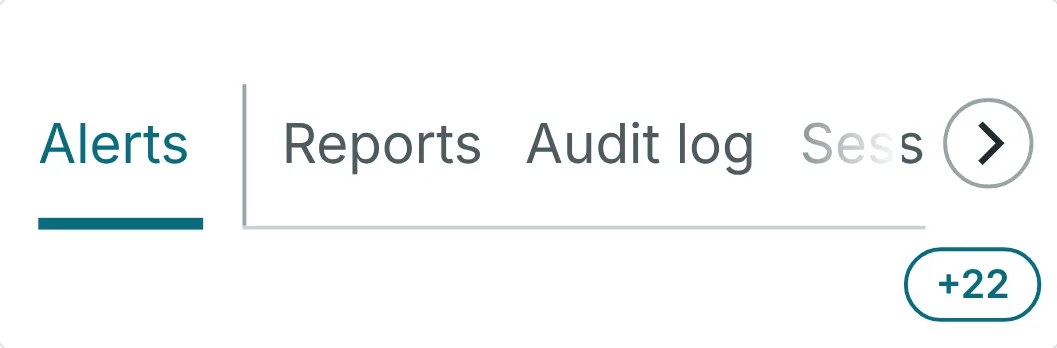
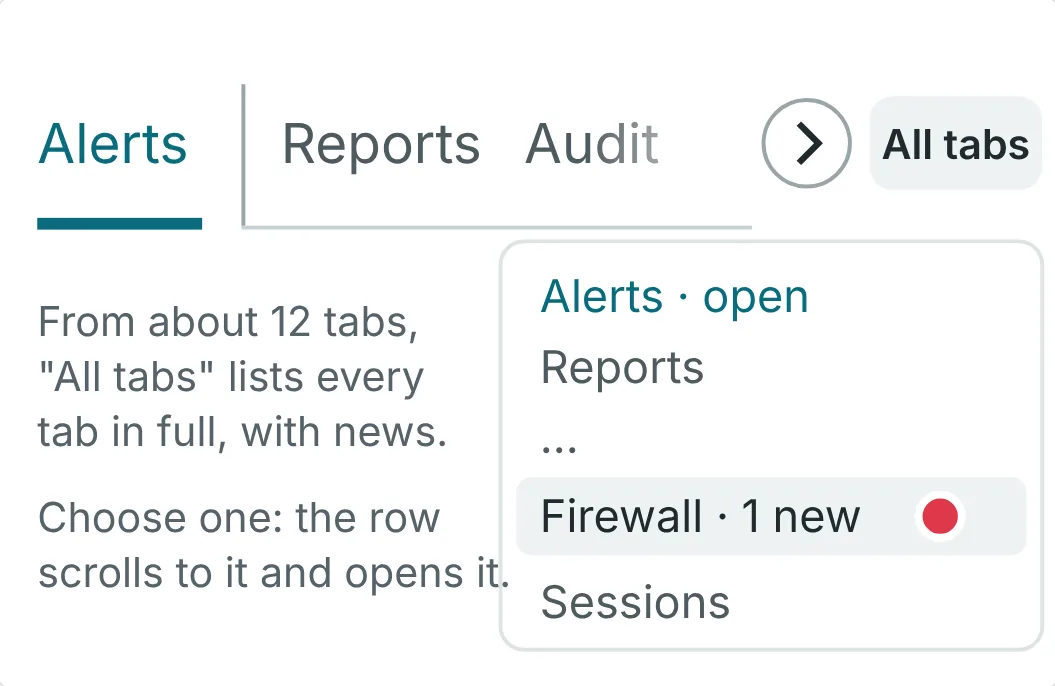
6.2 points apart. Under 10 points, a score can't decide on its own, so this was a choice. The agent's case: Vela's rule is never to invent a component, and the list needs a new one.
Five directions were scored. Both leaders share the same base: the open tab sticks to the left edge, every tab stays a real tab in one scrolling row, and nothing moves except by scrolling.
The cost of my choice was real: a small new list component, the Dropdown List, added to Vela as Experimental rather than going without it. Reading the menu library's source, the spec agent found it blocks the rest of the page by default and doesn't move focus to the current item, which became two rules in the spec.
Only the version of Tabs built on Base UI, an open-source behaviour library, gets the list. The version with no dependencies keeps a plain scrolling row.
06Refining
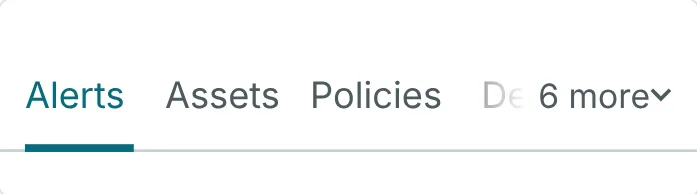
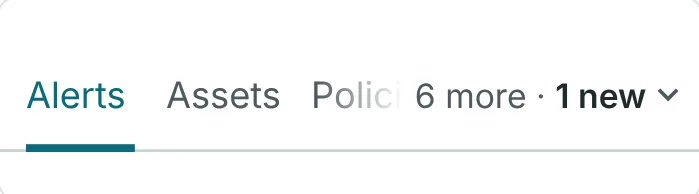
I spotted the pill pushing the row onto two lines; now the count and the news live in one quiet control.
First sketchFour new marks, and a second line
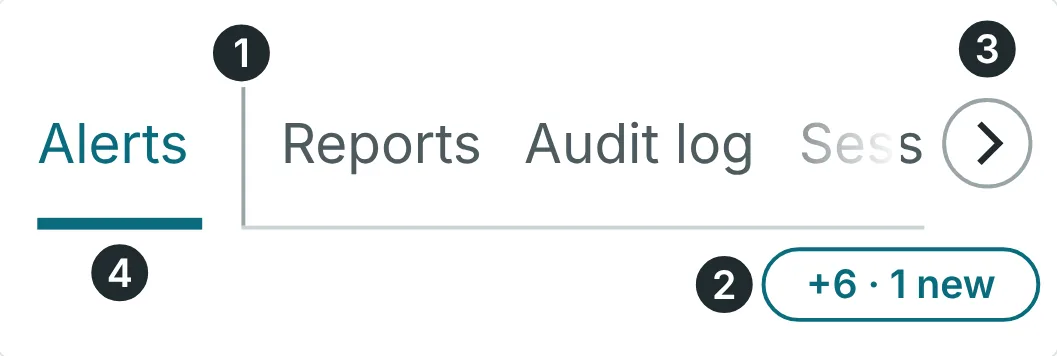
RefinedOne line, one rule, the count in words
The arrow buttons went too. The list reaches any tab in two clicks, and swiping, trackpads and the keyboard still scroll the row.
It started from my own flying-bird chevron on omkarux.com. An AI agent made six Vela-sized versions, two of them birds, and I chose the calm one over the springy one: one wingbeat in under a quarter of a second. It never points sideways and stays still when opened from the keyboard. It is decided, not built.
Rendering the list with Vela's real styles, the AI agent measured two problems in dark mode: the hover colour matched the background exactly, and a link colour was too faint to read as text. Both now have a fix: a new colour token and a rule.
07What broke
A 2-pixel underline was drawing 1 pixel, and high-contrast mode underlined every tab. Both fixes are now merged.
Before1 row of pixels, half the design
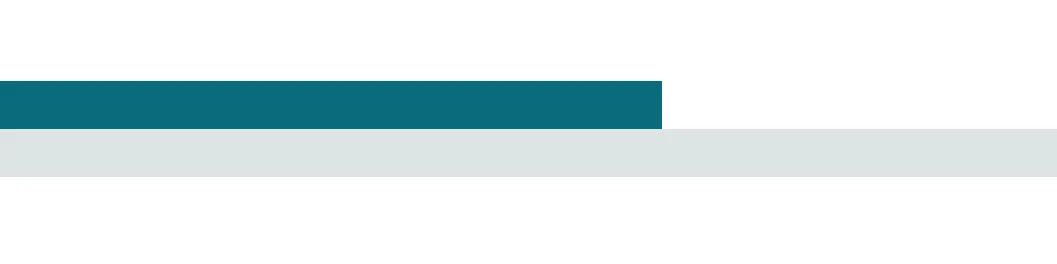
After the fix2 rows, as designed
BeforeHigh contrast: every tab underlined
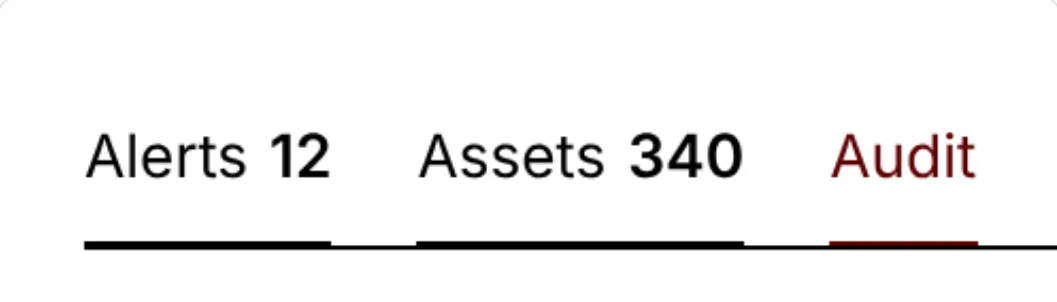
After the fixOnly the open tab is marked
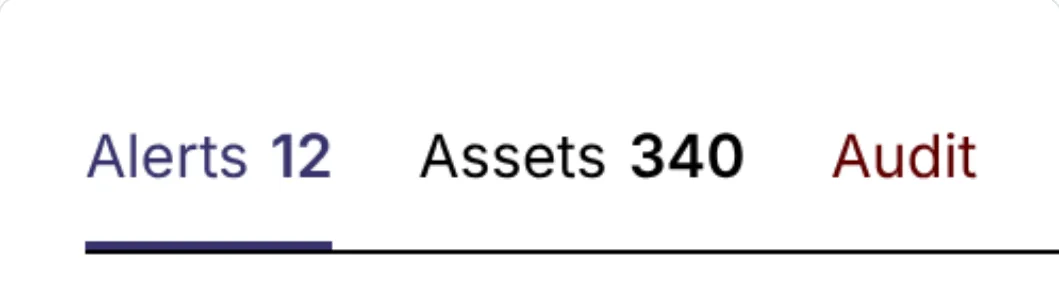
Shown 8 times larger, and in high-contrast mode as Chrome simulates it. A check on real Windows is still to do.
The thin underline. The row of tabs can scroll sideways, and a scrolling area cuts off anything past its edge. The underline's lower pixel was cut. Nobody noticed because the automatic screenshot checks allow up to 1% of pixels to differ, and one thin row is less than that. A new browser test measures the underline and fails on the old code.
High contrast. Windows has a mode for people who need stronger contrast. It swaps the page's colours for the system's own and makes hidden lines visible, so every tab grew an underline.
Both were found by the AI-run sweep. Both fixes are merged, each with a new browser check that fails on the old code.
Part one is released, in Vela 0.14.