How I work · Part 2 of 3
AI makes many options. I make the decisions.
Six real boards with my handwritten notes, showing where I sketched, reviewed, caught mistakes, chose and overruled the AI.
I sketch first
My sketch comes before any AI build.
Then I correct by looking, even when the mistake is mine. My sketch turned about the centre; once built, the corner was clearly right.
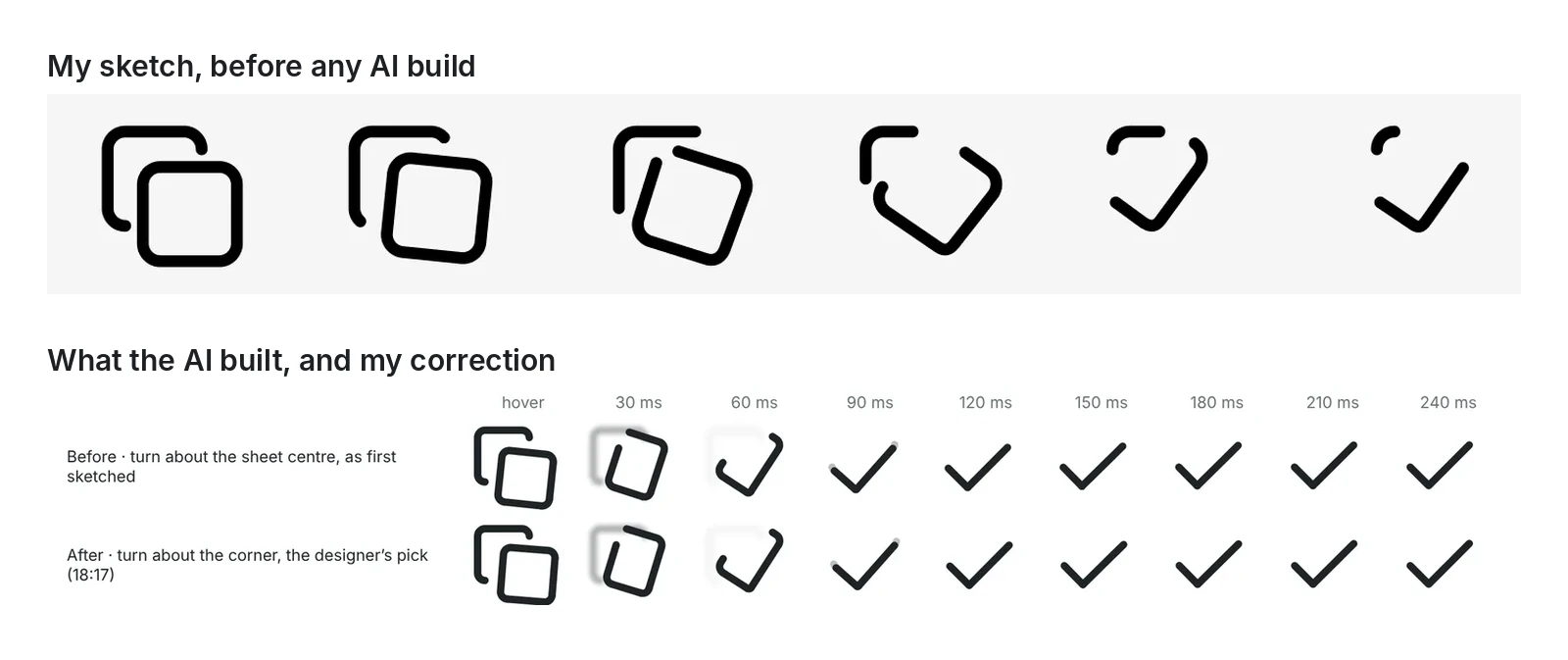
- Instead of rotating the top sheet from centre, it should rotate from corner so it stitches well to the next frame of the animation, as the tick starts moving leftwards and upwards from there.
- the bottom sheet should offset , reduced stroke and fade away. I like fading away idea of the bottom sheet
- instead of reducing opacity of these lines (pane morphing into tick) keep them crisp and opaque to communicate confidence in the change.
I look
AI scored the four best ideas. I watched every frame.
I kept the idea, and sent back the way it moved.
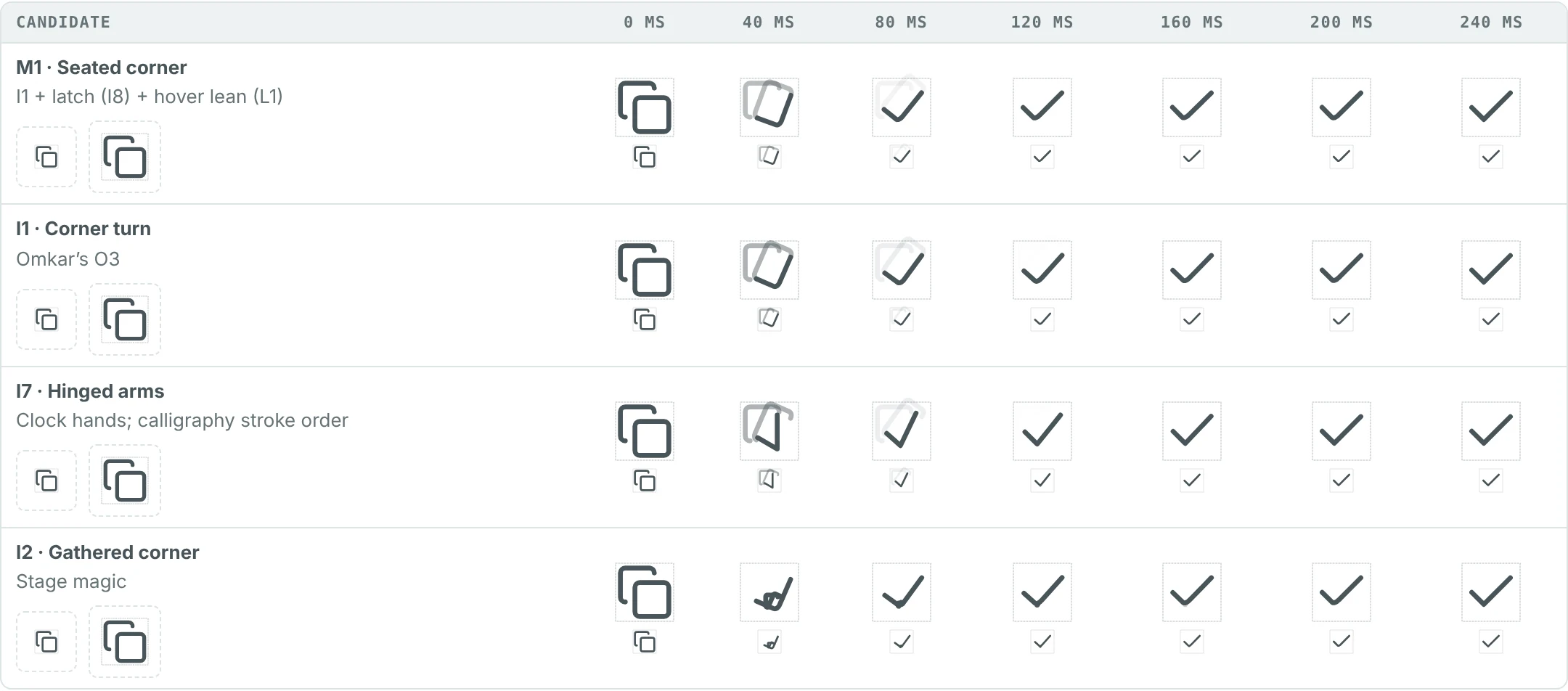
- This approach of moving the front pane’s corner tick to main tick is good, but needs refinement. The stroke itself should offset and morph to avoid messy lines fading out background.
- the corner point appearing in last 40 MS looks weird, needs better approaches from the beginning to morph this well
- These look messy and cluttered
The copy icon turning into a tick, shown every 40 milliseconds. Read the copy story here
I catch
I caught a 40-millisecond jump that the scores missed.
At the very end, a corner popped out. I backed the fix that rounds the corner earlier, so nothing pops.
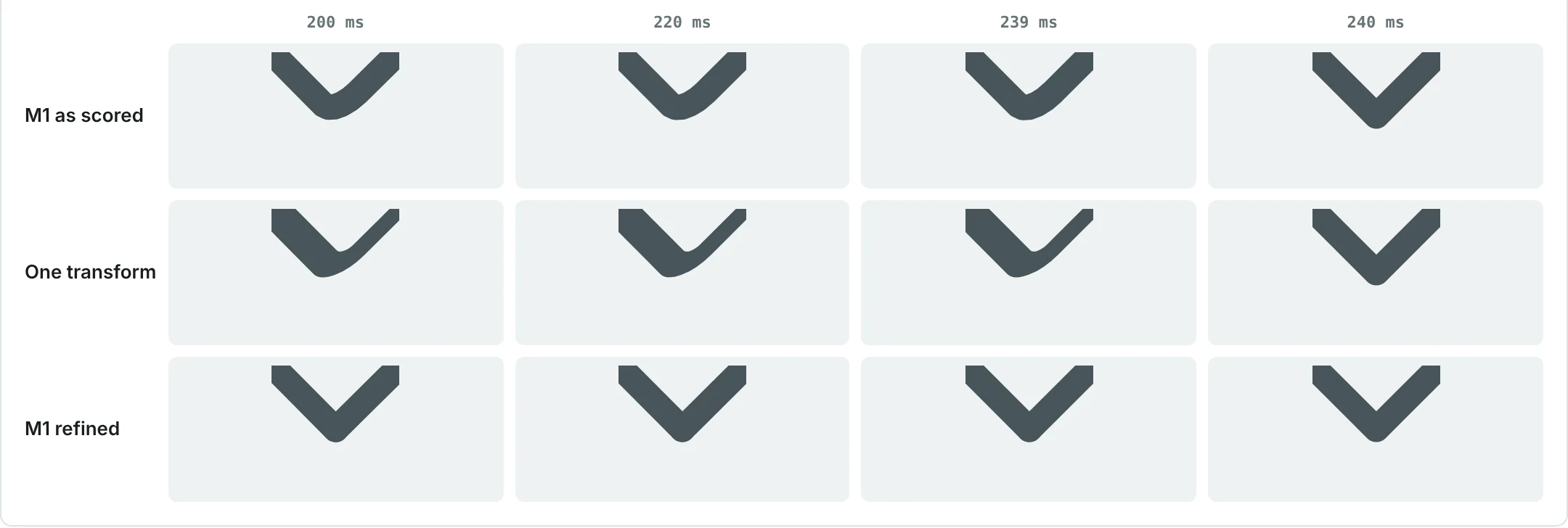
- the uneven strokes play does not communicate crisp and confident morphing
- this idea looks good, morphing the rounded corner earlier in the animation helps avoiding the blip popping out abruptly.
I choose
When scores tie, I decide by watching.
Two ways to click scored 94.1 and 93.5, too close for a score to decide. I watched both at real speed and chose the one that grows in place: sliding in from a distant tab, the underline lost its link to the Seed.
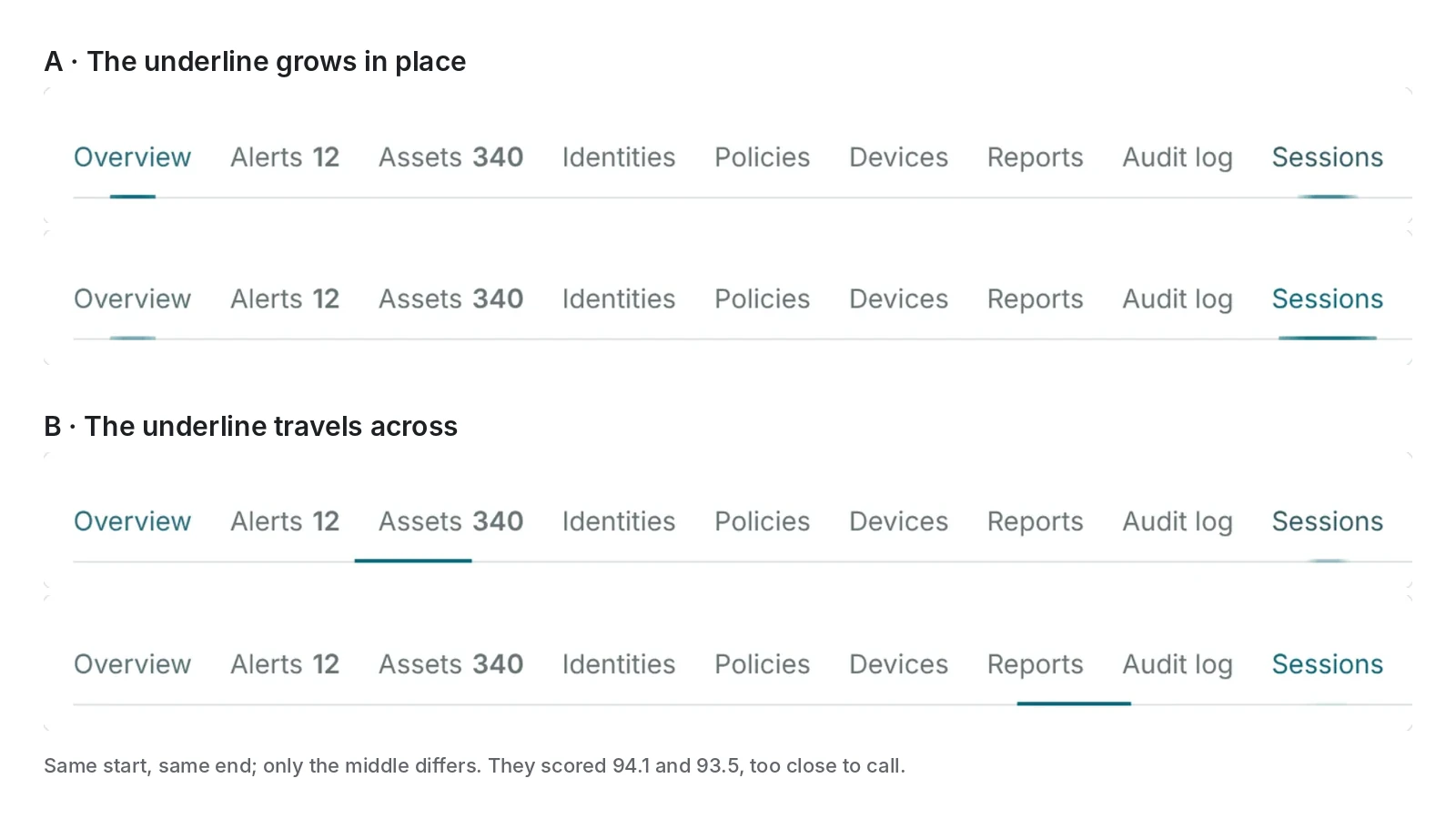
- 2 places when the glide is in motion. The selected state underline feels disconnected from the hover seed story when it glides from the distant tab, visual proximity is off.
I overrule
AI suggested building the tab list later. I had it built first.
For too many tabs, the AI recommended a plain row and a list "later". I merged the two ideas and asked for the list first.
Merged 30 OctThe Dropdown List is now in Vela, marked Experimental, as my note asked.
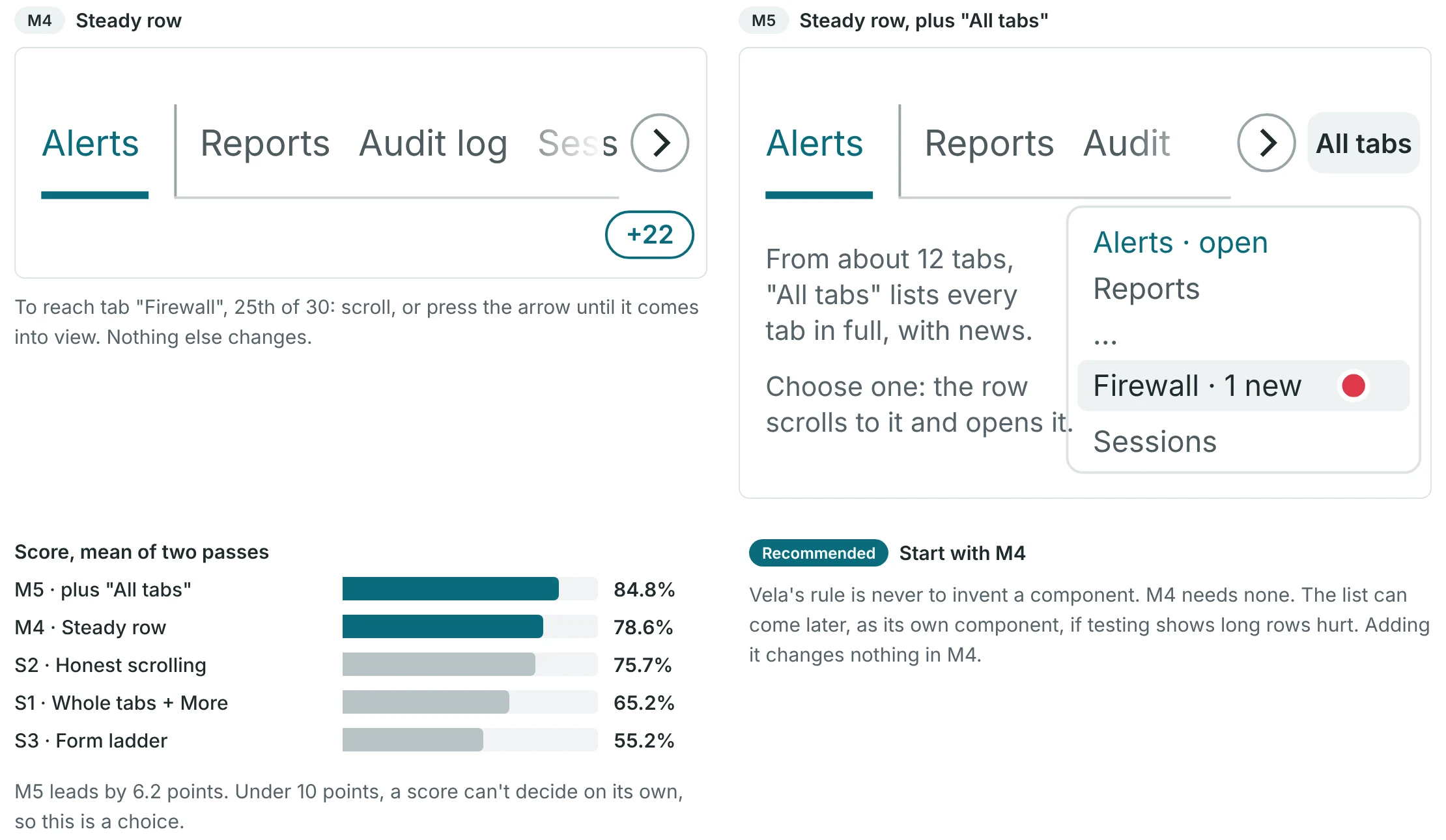
- this does not work when there are 25 tabs to scroll
- This takes unnecessary extra space beneath the tabs bar, can be merged with other idea of dropdown.
- the strokes to separate the pinned tab and other tabs are unnecessary.
- + dropdown idea from M5 - Not ‘all tabs’ but ‘+N, 1 new’
- the dropdown list component needs to be added first mark it as in initial ‘experimental’ status. It avoids the long horizontal scroll problem.
And it's fun
The chevron from my website is becoming a Vela icon.
An AI agent made six smaller versions of my chevron. I chose the calm one, because dense screens need calm motion. It is decided, not built yet.
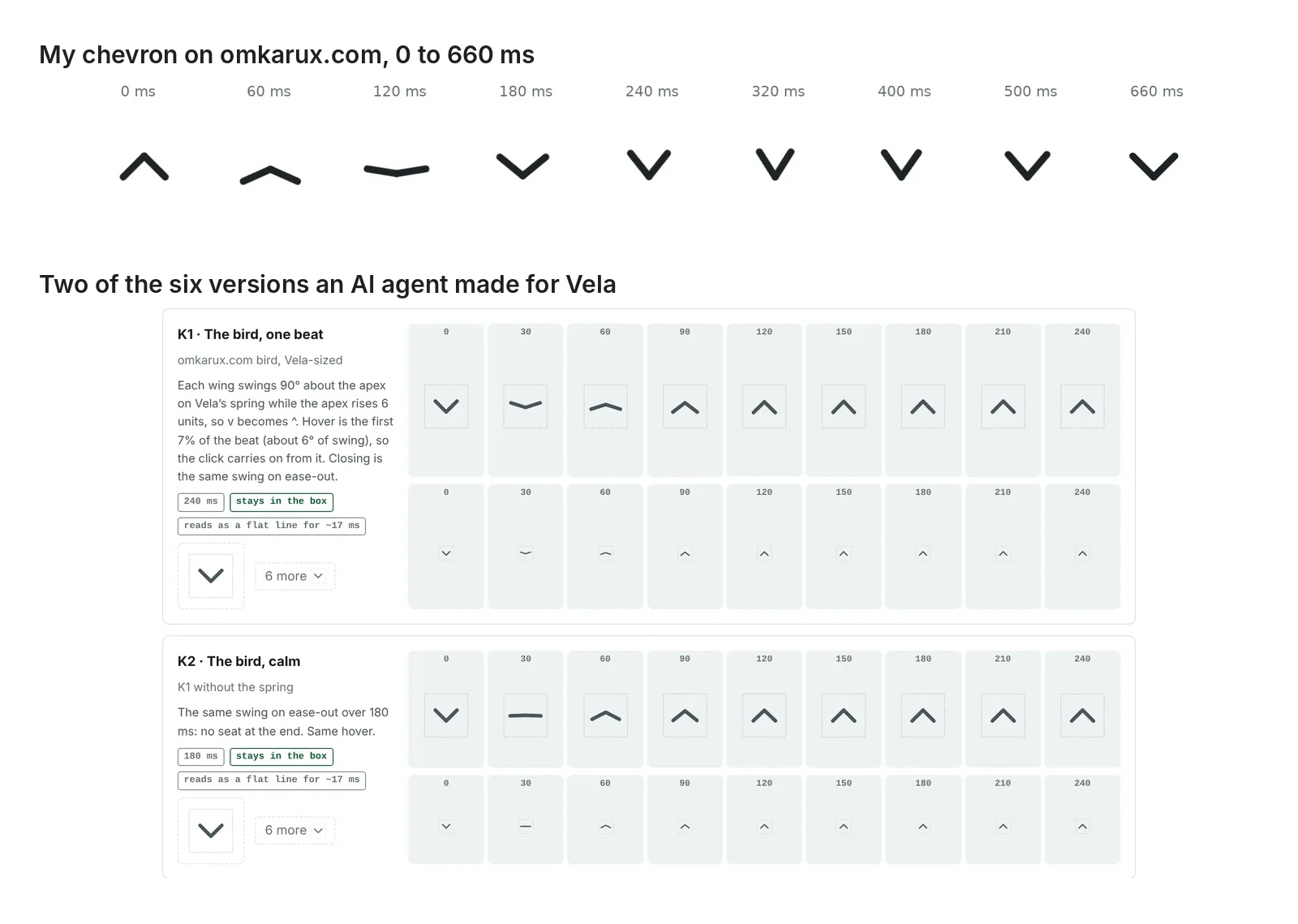
- calmer transition helps to signify poise and sound mind which is needed while interacting with dense interfaces.